

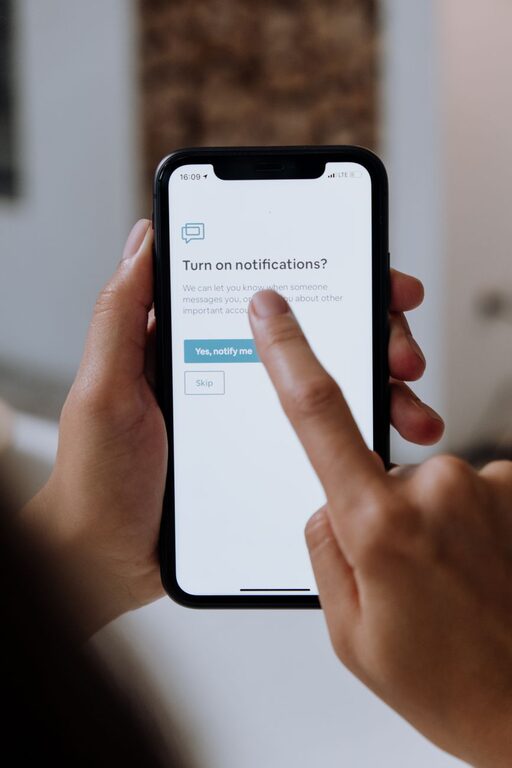
In today’s connected world, notifications can easily become a source of distraction rather than helpful reminders. Whether it’s your phone, computer, or other devices, constant alerts can interrupt your workflow, reduce productivity, and even increase stress. Setting boundaries with notifications is key to maintaining focus and achieving a better balance between work and personal time.
This post shares practical tips to help you manage notifications effectively, allowing you to take control of your digital environment and improve your well-being.
Why Setting Boundaries with Notifications Matters
Notifications are designed to capture your attention, often immediately. While some alerts are important — like calendar reminders or urgent messages — many are not time-sensitive and can wait. When notifications are uncontrolled, they can:
– Cause frequent interruptions that break your concentration
– Increase anxiety by making you feel “always on”
– Waste time repeatedly checking devices
– Impact sleep quality if alerts come during rest hours
By setting boundaries, you reduce these negative effects and create space to focus on what truly matters.
Practical Tips for Managing Notifications
1. Audit Your Notifications Regularly
Start by reviewing all the notifications you receive across your devices. Ask yourself:
– Which notifications are essential?
– Which apps or services send frequent, non-urgent alerts?
– Are there any notifications you never respond to?
Use your answers to decide which notifications to keep, silence, or disable. Many devices allow you to customize notifications app by app.
2. Use “Do Not Disturb” or Focus Modes
Most smartphones and computers have a “Do Not Disturb” or Focus mode that blocks non-critical notifications temporarily. You can:
– Schedule these modes during work hours or important tasks
– Allow calls or alerts from specific contacts only
– Enable them during meetings or relaxation times
This helps you stay uninterrupted during high-focus periods.
3. Customize Notification Settings
Not all notifications are equal. Some apps let you adjust how and when alerts appear:
– Choose whether notifications show on the lock screen
– Select between banners, badges, or sounds
– Set priority levels for different types of alerts
Customizing notifications to your preferences prevents unnecessary distractions.
4. Limit Notifications from Social Media
Social media is a common source of frequent notifications. To avoid constant interruptions:
– Turn off push notifications for likes, comments, or shares
– Limit alerts to direct messages or mentions
– Consider using social media apps only at specific times
This approach helps you stay connected without being overwhelmed.
5. Batch Check Notifications
Instead of reacting to every ping immediately, try batching your notification checks:
– Designate specific times in your day to review alerts
– Turn off notifications outside these periods
– Use a “zero inbox” approach to respond and clear notifications efficiently
Batching improves productivity by reducing task-switching.
6. Use Notification Summary Features
Some devices offer advanced features that group non-urgent notifications into summaries delivered at set times. This reduces the number of interruptions by consolidating alerts you can review at once.
Check if your device or apps offer notification summary options and customize their timing.
7. Communicate Your Boundaries
If you regularly receive work or personal messages, inform contacts about your notification boundaries:
– Share your preferred communication hours
– Let colleagues and friends know when you won’t respond immediately
– Encourage use of email or scheduled calls for non-urgent matters
Clear communication helps others respect your focus time.
8. Turn Off Notifications During Personal Time
To maintain a healthy work-life balance, it’s important to disconnect:
– Mute notifications during evenings, weekends, or vacations
– Use airplane mode or power off devices when needed
– Create tech-free zones or times in your home
This helps recharge your mind and reduces digital burnout.
Tools and Features to Explore
Different platforms offer useful features to help manage notifications:
– iOS Focus Modes: Customize profiles for work, personal, sleep, and more.
– Android Notification Channels: Control notifications by category within apps.
– Windows Focus Assist: Automatically limits notifications when you’re active on full screen.
– Mac Do Not Disturb: Schedule or manually activate quiet times.
– Third-Party Apps: Some apps specialize in notification management and digital wellbeing.
Explore these tools and see which best fit your routine.
Conclusion
Managing notifications thoughtfully is a crucial step toward enhancing focus and reducing digital distractions. By auditing alerts, using focus modes, customizing settings, and communicating your boundaries, you can regain control over your devices and time.
Start with small changes and adjust your settings as you learn what works best. Over time, you’ll likely notice improved concentration, less stress, and a better balance between staying connected and being present.
Remember, technology should work for you—not the other way around. Setting clear boundaries with notifications helps ensure your devices support your priorities, not disrupt them.